Real, royalty-free sound effects placed in sync on your timeline, without leaving your NLE.
Krotos Studio integrates directly with your NLE. Every integration runs the same Video to Sound engine, built natively for each editor. For future updates and upcoming integrations, check out our Roadmap.
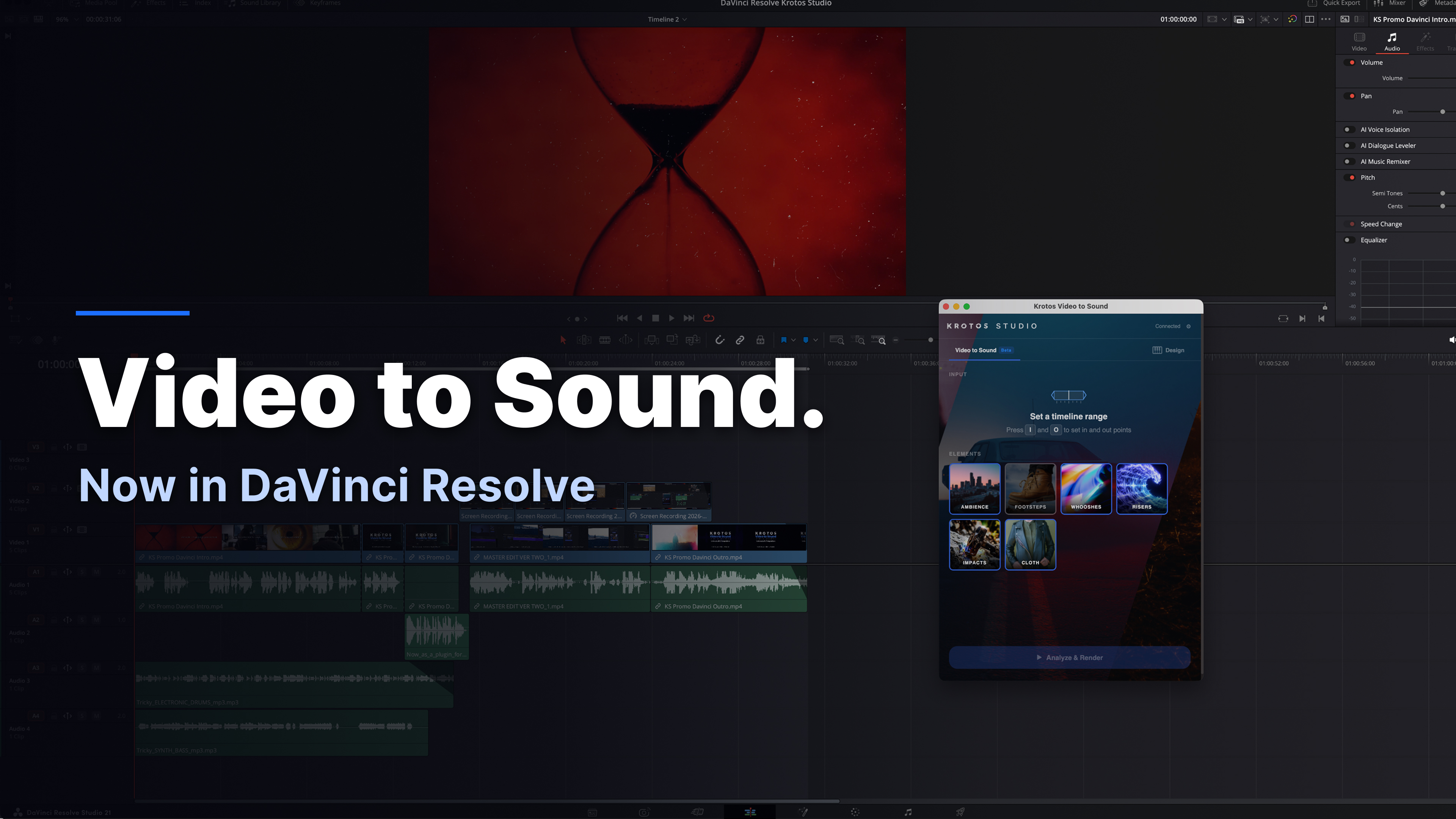
Opens from Workspace > Scripts and docks right beside your timeline.
.gif)
Installs as a UXP plugin that docks or floats inside Premiere Pro, backed by a library of over 100,000 recordings.
What the plugins add on top of the standalone Krotos Studio application.
The Krotos Studio panel docks alongside your timeline. No exporting, round-tripping or switching applications to add sound.
Mark a region, select the elements you need and render. Sound effects are placed in sync on your timeline automatically.
Every sound is a real recording from the Krotos libraries. AI selects and places the audio; nothing is generated or synthesised.
Cleared for client work, broadcast and monetised content. Your footage is not used for model training.
Every rendered element can be swapped, trimmed, moved or removed like any other clip in your project.
Both integrations are included with Krotos Studio, Pro and Max at no additional cost.
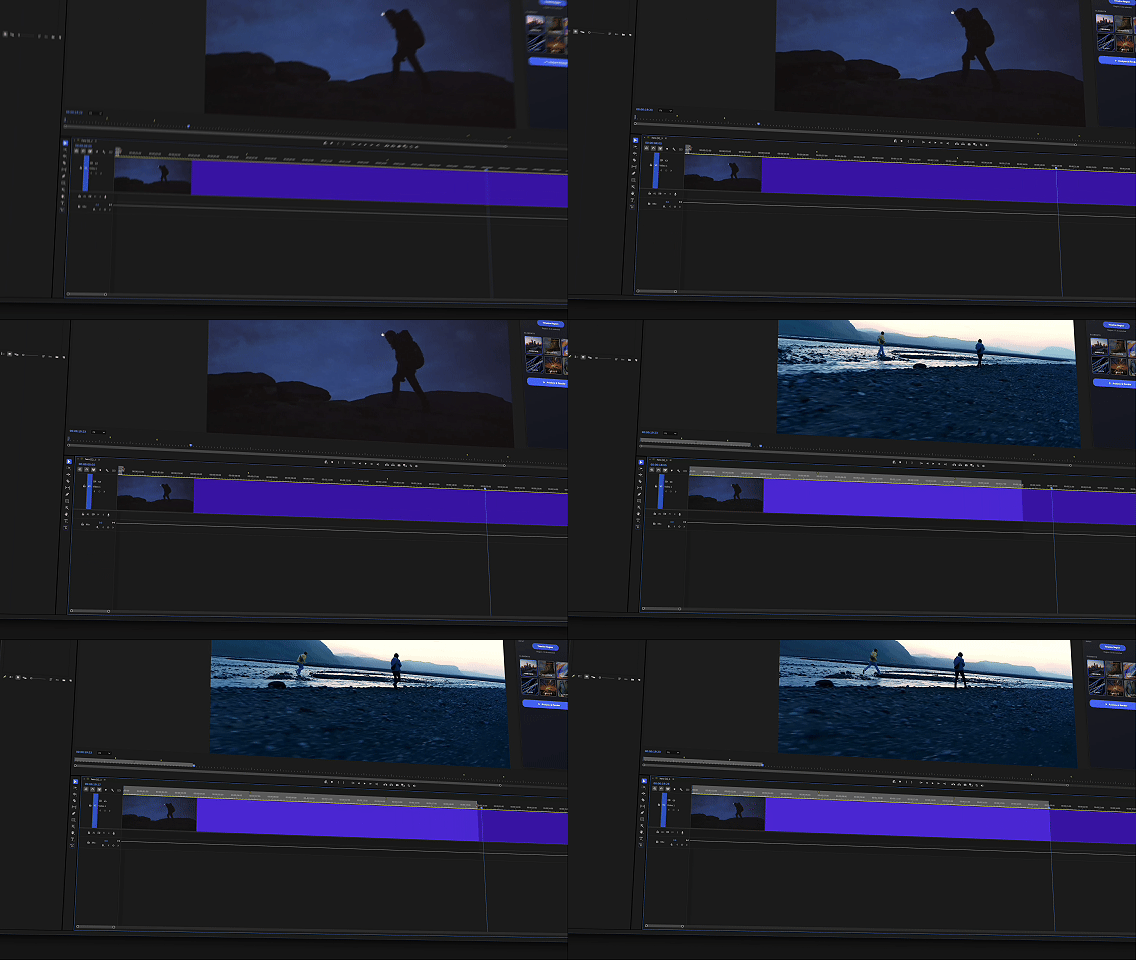
Mark the section of the timeline that needs sound.
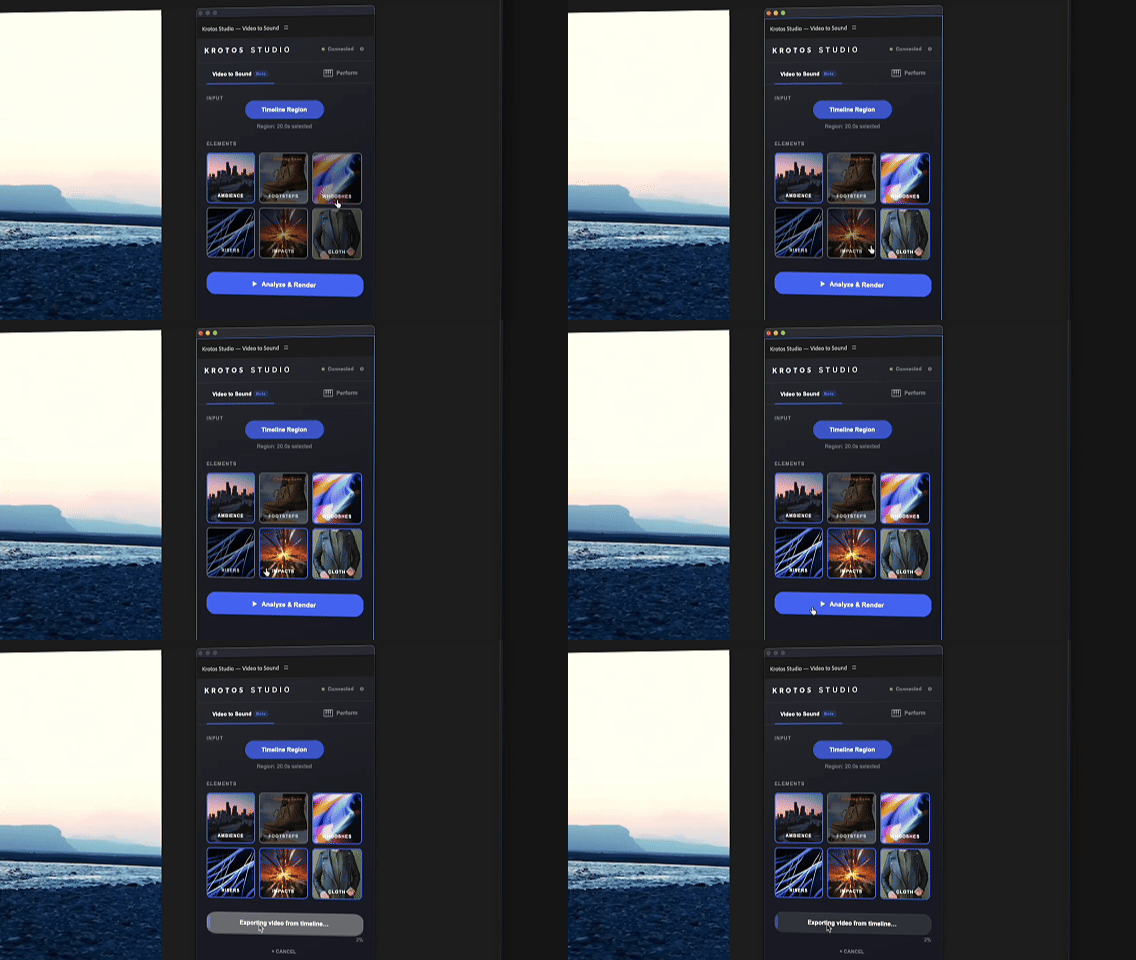
Choose ambience, whooshes, impacts, risers, cloth and more.
Royalty-free sound effects are placed in sync on your tracks.
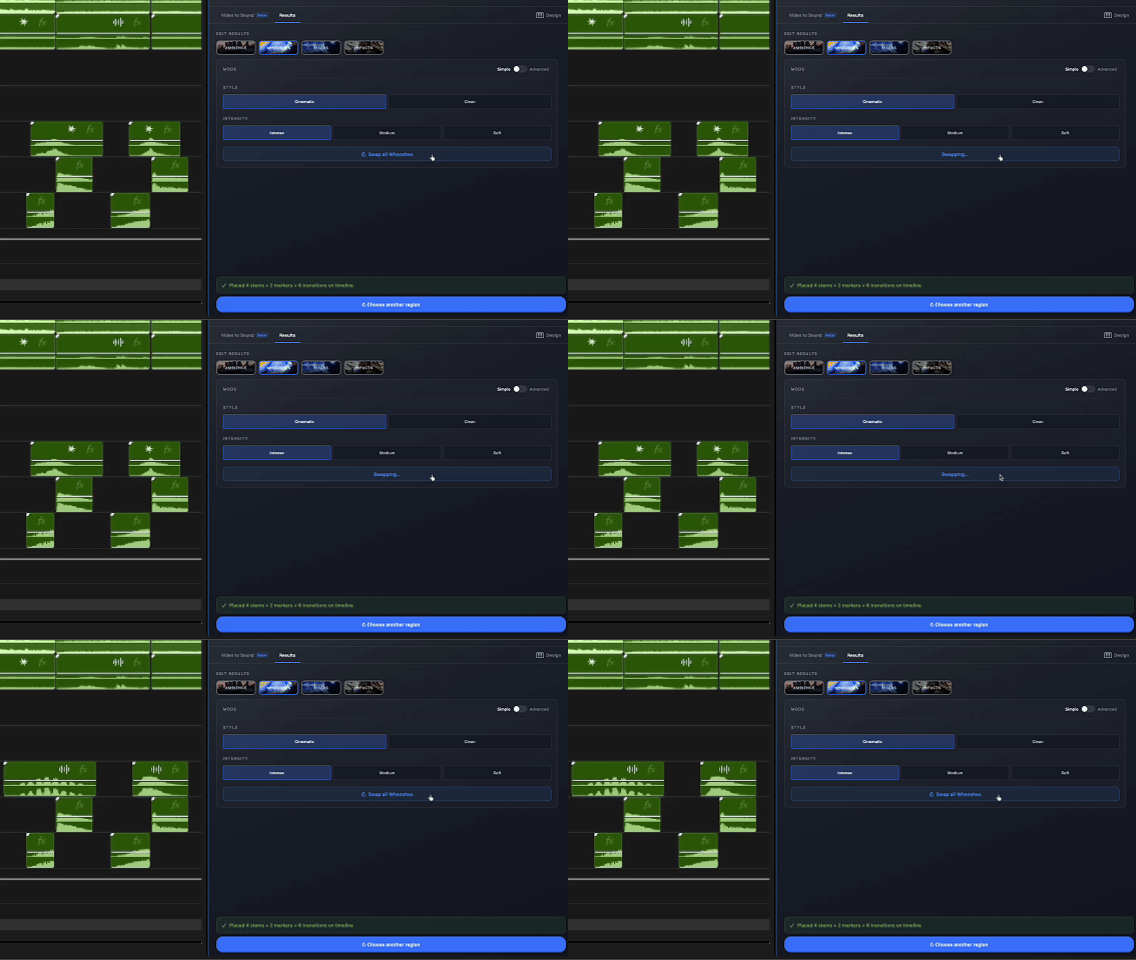
Swap or adjust any element. Nothing is baked in.
Both integrations are included in every paid tier: Studio, Pro and Max.
