
Perform Your Sound Effects Libraries in Real Time
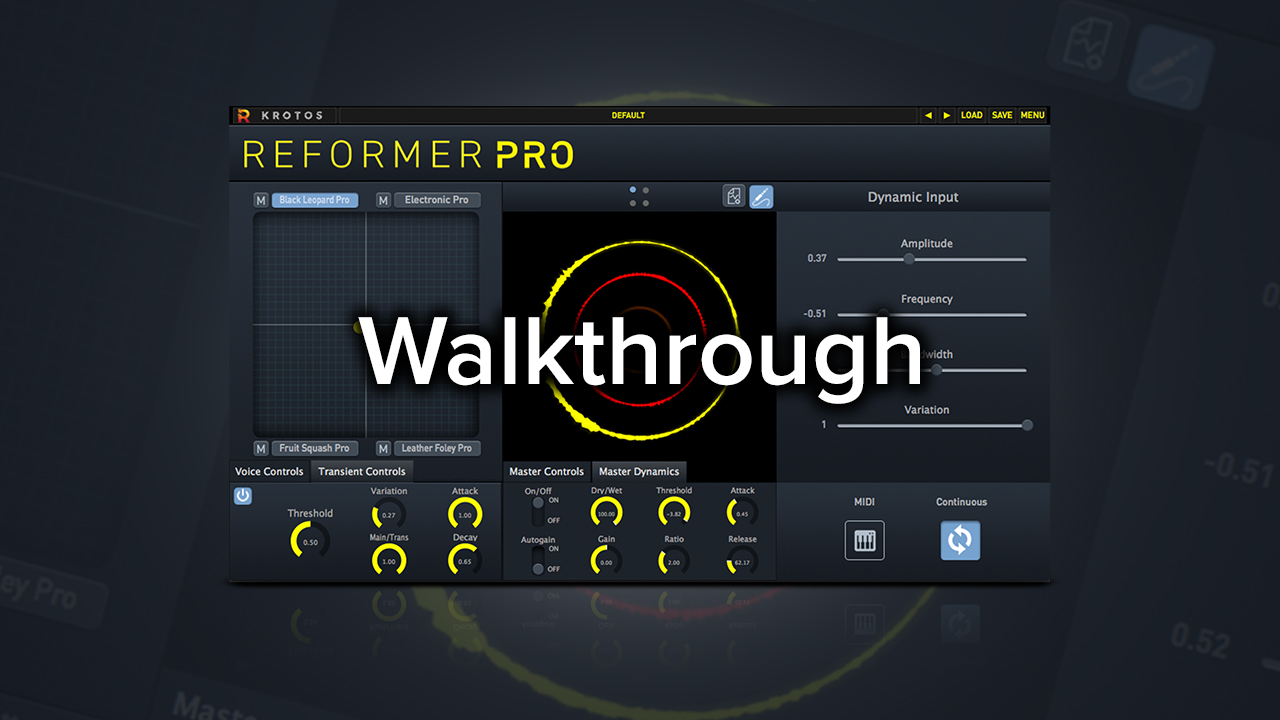
Reformer Pro can use any live signal or recorded audio file as input. Using the X-Y pad as a central controller you can blend between libraries. Get unique results each time by moving between Reformer Pro’s ‘four voices’.
Using and Creating Sound Libraries for Reformer Pro
Reformer Pro uses an input audio signal to perform your sound libraries. Libraries are a crucial Concept to Reformer Pro that can be loaded from a side panel. Any library can be loaded into any one of Reformer Pro’s ‘four voices’. You can create your own libraries for Reformer Pro using our own analysis tool.
Different libraries can be loaded into different voices to create complex sound design instruments. Each of these voices can be handled in slightly different ways using voice controls. For instance, you can use different playback speeds or response times to alter the sound, depending on the library and input sound, these will have different effects.
“Reformer gives any audio designer the ability to be a one-person Foley team.”
WILL MORTON
Director at Solid Audioworks
Grand Theft Auto, Red Dead Redemption
Control and Blend Your Sound Libraries Like Instruments
- Dry/wet control to blend the processing
- Master dynamic section – for subtle or extreme compression to your processing
- Adjust libraries with extended view to manipulate contents
- Preview every sound in the library and then selectively meet or deactivate individual samples
Create Realistic and Balanced Foley Sound Effects
- Add extra definition to your sounds or immediate impacts with the Reformer Pro transient engine
- Explore libraries quickly and easily and find the best result
Watch our video to go through step by step procedures to build out and control the following elements in your sound design workflow:
- Threshold control
- Playback speed control
- Blending sound libraries including metal impacts and glass smash using the X/Y pad
Explore the new Reformer Pro with our Walkthrough video. Follow us as we demonstrate all the new features including Dynamic Input, Analysis Tool and Transient Engine.
