

Most sound work happens in dim rooms, often late, often next to a DAW that's already dark. Krotos Studio 3.0 now matches it. The default skin is darker across the whole app.

Pick your theme
If you preferred the old look, it's still there. Open Settings > Appearance and choose from three themes:
- Darker, the new default
- Classic, the look you had before 3.0
- Graphite
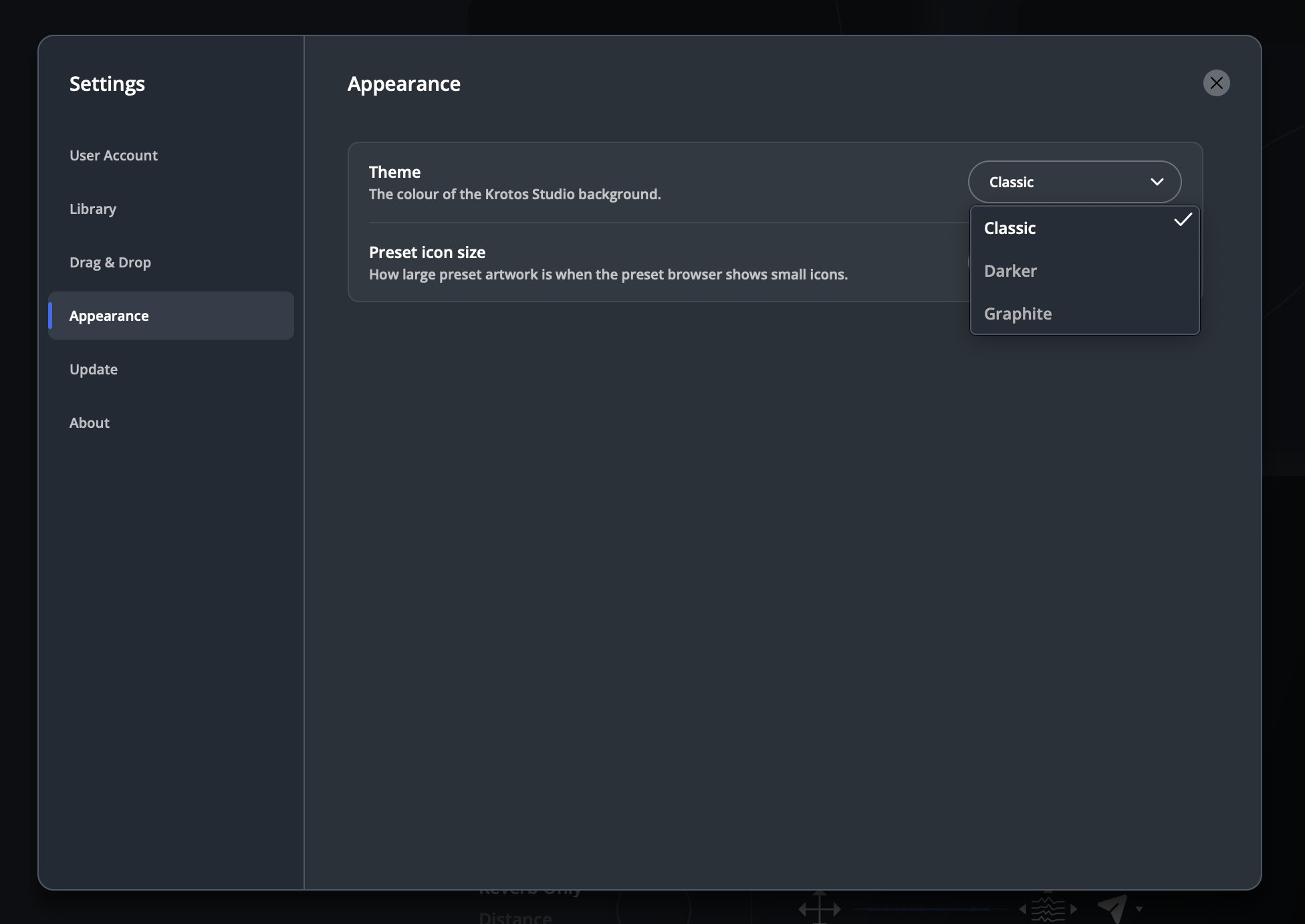
The same panel holds Preset icon size, which sets how large preset artwork appears when the browser shows small icons.
Get the next one in your inbox. Every part of Krotos Studio 3.0 gets a short breakdown, sent as it lands. Join the Krotos newsletter.
Keyboard shortcuts
3.0 also adds keyboard shortcuts. The one you'll use most is S, which sends the current sound or performance to your Pro Tools cursor from the standalone app.
Why bother with a skin?
A screen you look at for hours should be comfortable to look at. The darker theme also makes the preset artwork and waveforms stand out, which matters once you're browsing in grid view. Pick the one that suits your room and your hours.
Get the next one in your inbox. We're writing up every part of Krotos Studio 3.0 as it lands, plus the new sounds and presets each month. Join the Krotos newsletter.