


Krotos Studio 3.0 is available now for Krotos Studio, Krotos Studio Pro and Krotos Studio Max subscribers. It brings sound performance and a searchable sound library into one workflow.
Find the sound you need. Shape it to fit your picture. Get it straight into your timeline.
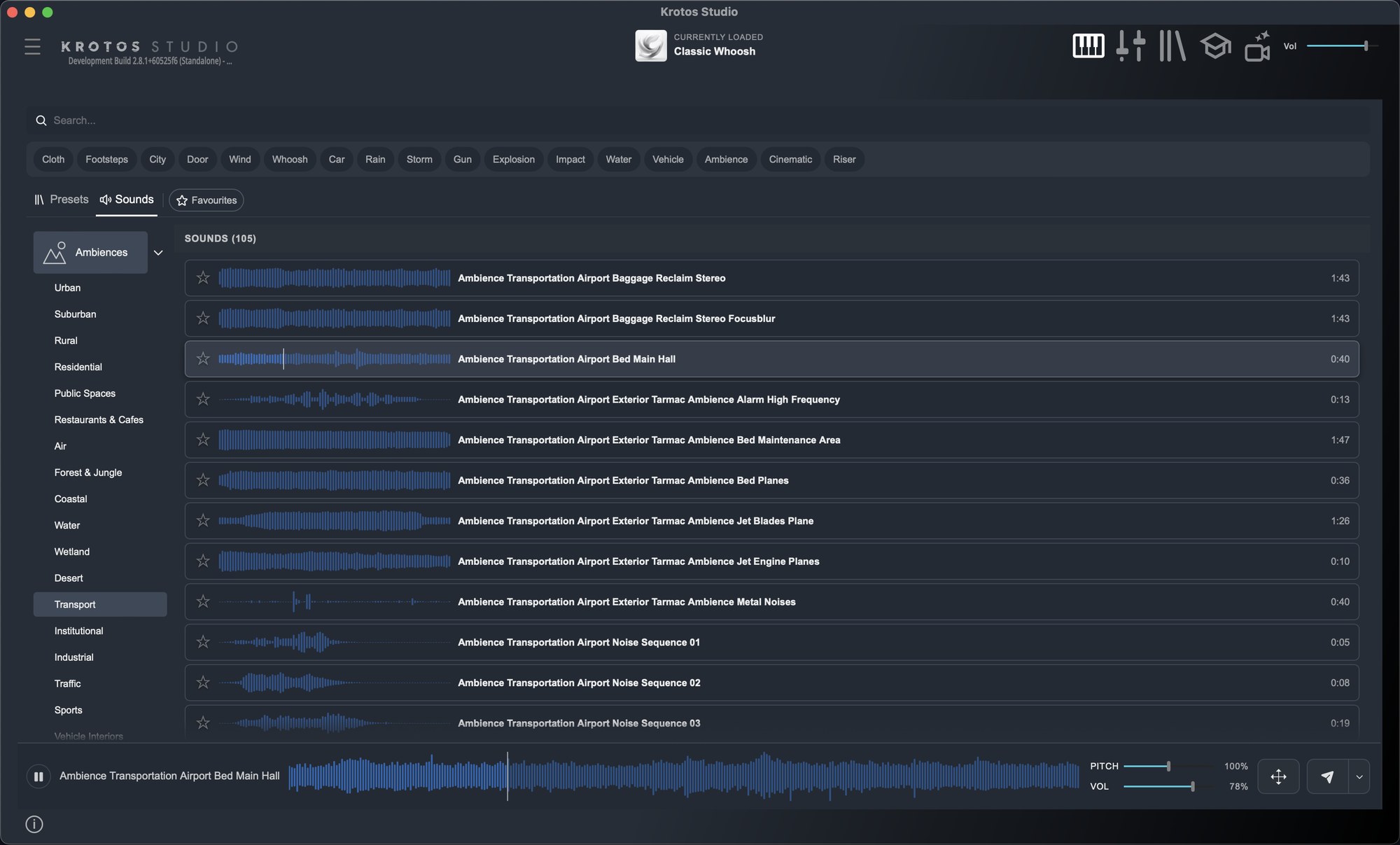
Krotos Studio already lets you perform and shape real recordings to picture, so the sound responds to the action on screen. With 3.0 you can also browse, audition and place individual recordings from the Krotos library without leaving the app. Perform a custom sound, or grab one specific recording, and send either straight to Pro Tools.
What it looks like in a session
- Search once. Presets and individual recordings come back together.
- Audition the sound and set its pitch and volume while it plays.
- Press Send, or the S key, and it lands at your Pro Tools cursor. In other DAWs and NLEs, drag it onto the timeline.
- When a fixed recording won't do, load a preset, perform the sound to picture and send that take instead.
What you get
- Creative control. Perform and shape sounds to fit the picture.
- Less workflow friction. Browse, audition, adjust and place individual sounds within Studio.
- Direct delivery. Send sounds and performances straight to Pro Tools with one click or keystroke in the standalone app.
Also in 3.0
- The Krotos library inside Studio: 98,000+ sounds on Max, over 55,000 on Pro and 33,000+ on Krotos Studio. Every plan can audition every sound.
- A resizable standalone window, down to a perform-only panel beside your edit.
- 300+ subcategories across presets and sounds.
- A darker default look with Classic and Graphite themes, plus list, card and grid thumbnails.
- The AI Ambience Generator and Image to Preset, now in the browser.
Send to Pro Tools and resizing work in the standalone app. Everything else works in the standalone, VST, AU and AAX versions. The Sounds tab holds the Krotos library, so adding your own sound library isn't part of 3.0. New sounds and presets arrive every month, all royalty-free for commercial use.
Get the next one in your inbox. We're writing up every part of Krotos Studio 3.0 as it lands, plus the new sounds and presets each month. Join the Krotos newsletter.