














Editors and filmmakers hunt for alternatives to Epidemic Sound for a reason: price, catalogue fit, licensing or the need for better SFX and stems. This guide helps you pick a faster option for real deadlines, compares the common alternatives for video and game workflows, and finishes with a short swap-in playbook plus clear notes on AI and rights so you can change libraries without risking a claim.
Short verdict for busy editors
If you want the quickest path to polished tracks and cleared usage, choose a provider with simple, platform-friendly licensing and fast search plus stem support. Stick with Epidemic if you already rely on its catalogue and want predictable licensing for YouTube and social, switch if you need wider SFX categories, stems for tempo edits or a lower-cost plan. For budget-conscious creators, free libraries can fill gaps but expect trade-offs in selection and clarity.
• Licensing simplicity: pick services that state platform usage and sync rules plainly.
• Speed to result: prioritise search tagging, curated playlists and stem availability.
• SFX breadth: prefer catalogues that include crowds, foley, footsteps and whooshes if you want to build categories quickly.
If you only have 5 minutes
If you are a YouTuber who needs quick, claim-safe tracks pick a platform with explicit social licences and fast tagging; if you are an indie filmmaker or game developer who needs stems, ambiences and SFX choose a service with strong SFX categories and DAW or middleware friendly exports; if budget is tight use the YouTube Audio Library or a low‑cost subscription for music and combine it with a dedicated SFX library or a rapid SFX-creation tool.
How to choose: a creator-focused checklist
1. Licence clarity, read the fine print, ensure commercial use, platform claims and whether the licence survives if you cancel.
2. Search and tagging speed, test how quickly you can find usable moods, BPMs and keywords; time saved here is real time saved on edits.
3. SFX and ambience breadth, check for crowds, foley, footsteps and whooshes, plus multiple takes or variations.
4. Stem and edit support, confirm if tracks come as stems or variable-length edits for tempo matching.
5. Integration, look for Premiere/Resolve plugins, direct DAW exports, or quick downloads for FMOD/Wwise.
Quick score method
Pick three services, play five short clips and rate each 1 to 5 across the five checklist items above. Add scores, highest total wins. Do it in five minutes: Licence 1 to 5, findability 1 to 5, SFX breadth 1 to 5, stems 1 to 5, integration 1 to 5. This forces an objective shortlist based on what saves you time in the edit.
Top alternatives, what matters for editing and sound design
• Artlist, strong on cinematic music and simple licences, good for filmmakers who want long-form, mood-based tracks. Best for filmmakers.
• Storyblocks, large library and subscription pricing with decent SFX; search can be noisy but value is high for bulk downloads. Best for volume and budget.
• Shutterstock Music and SFX, broad catalogue and stem options in places, familiar UI for image buyers; licensing can be more segmented. Best for cross-media teams.
• Soundstripe, curated music with easy licences and a growing SFX section, useful for creators who value curation over quantity. Best for creators needing consistent style.
• PremiumBeat, high-quality editorial music and reliable metadata, fewer SFX but excellent ready-to-drop tracks. Best for polished film trailers and promos.
• YouTube Audio Library, free and claim-friendly for YouTube creators, but selection and metadata vary. Best for start-up creators and fill-in tracks.
• AI-driven and automated solutions, these can auto-match mood to video and speed rough drafts, but confirm output provenance and licence before publication. Best for rapid mock-ups and temp sound.
What to watch for in each catalogue
Check tag quality, consistent BPM and mood tags save search time. Confirm stem availability for each track if you need to tempo-match or duck audio. For SFX, measure category depth: a “footsteps” tag should have multiple surfaces and distances. Metadata quality is the fastest predictor of how often you will actually find usable material.
Swap-in workflow: 7 practical steps for Premiere, Resolve and game pipelines
1. Create a quick reference: mark timecodes where music or SFX are needed in your sequence.
2. Batch audition in the provider UI, export 10 to 20 candidates to a dedicated temp folder.
3. Drag audio onto a staging track in Premiere or Resolve, label with provider and licence date.
4. Use stems or split channels to tempo-match, use clip speed or markers to align cues.
5. For SFX, create layered variants on separate tracks for distance and impact, then automate volume or EQ.
6. Export grouped SFX in batch to 48k WAV, include a simple metadata TXT with usage notes for FMOD or Wwise import.
7. For game pipelines, prepare one-shot SFX and looped ambience separately, name files for middleware parameters such as RTPCs or randomisation.
Speed tips
Set a “library” panel or local cache folder, assign keyboard shortcuts for auditioning next/previous, and use drag-to-sequence from your browser or plugin. Cache favourites locally so you can relink if the service changes files.
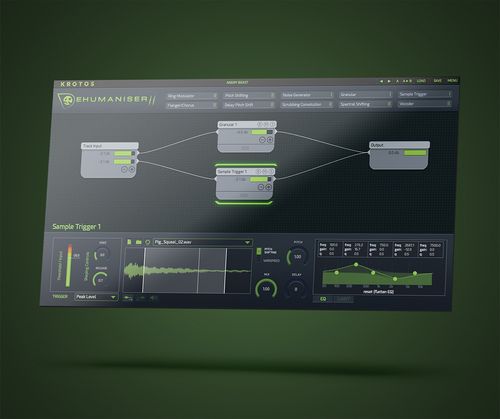
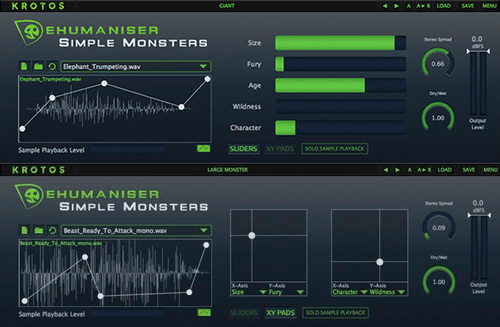
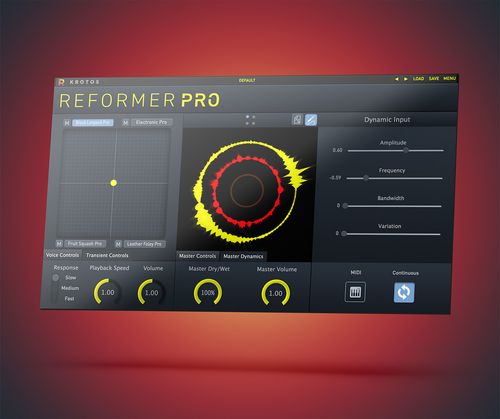
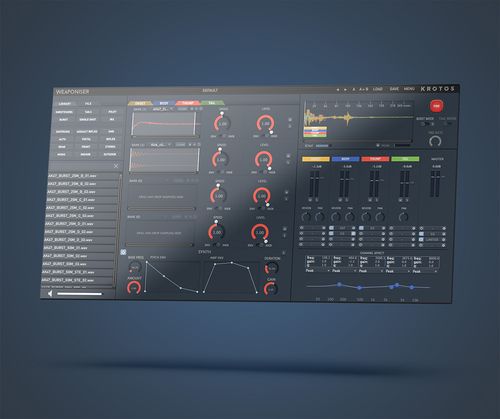
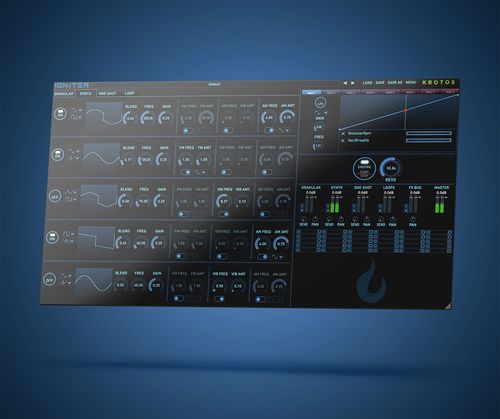
Before you go switching providers, try a live trial of SFX creation tools to fill specific gaps. Krotos tools speed up bespoke SFX and category creation, and you can try trials and asset packs at https://krotos.studio/ along with tutorials and the user forum to get hands on help from the community.
Ethics, AI and rights: what creators should know
There is a real difference between curated, rights‑cleared libraries and generative audio models that produce derivative work. Curated libraries licence known assets, while generative audio may use trained data and requires careful licence scrutiny. Before publishing, confirm whether outputs are freshly created or derived from third‑party material, and understand the provider's policy on ownership and disputes.
Trust checklist
• Is the licence text clear about commercial use and platform coverage?
• Can you download an invoice or licence confirmation for each asset?
• Are attribution rules explicit, and is there a support contact listed?
• Does the provider state how their audio was produced, especially if AI was used?
• Do community reviews and response times show reliable dispute handling?
Frequently asked questions
Is there anything better than Epidemic Sound?
"Better" depends on what you need. For quick, claim-safe music with broad social licences Epidemic is convenient. Alternatives may be better if you need deeper SFX categories, stems for tempo edits, or a different budget model. Evaluate by how much time each service saves you in searching and editing, rather than catalogue size alone.
Is there a free version of Epidemic Sound?
Epidemic Sound does not broadly offer a permanent free tier for commercial use; they provide subscription plans and sometimes trial access. Free alternatives exist such as the YouTube Audio Library, but free options typically have smaller catalogues or different licence terms, so check each provider’s restrictions for commercial publishing.
Which one is better, artlist or Epidemic Sound?
Artlist tends to be favoured by filmmakers for cinematic music and simple licences, while Epidemic is popular with social creators for its platform-focused approach and broad playlist curation. Choose Artlist if you prioritise cinematic stems and mood-driven scoring